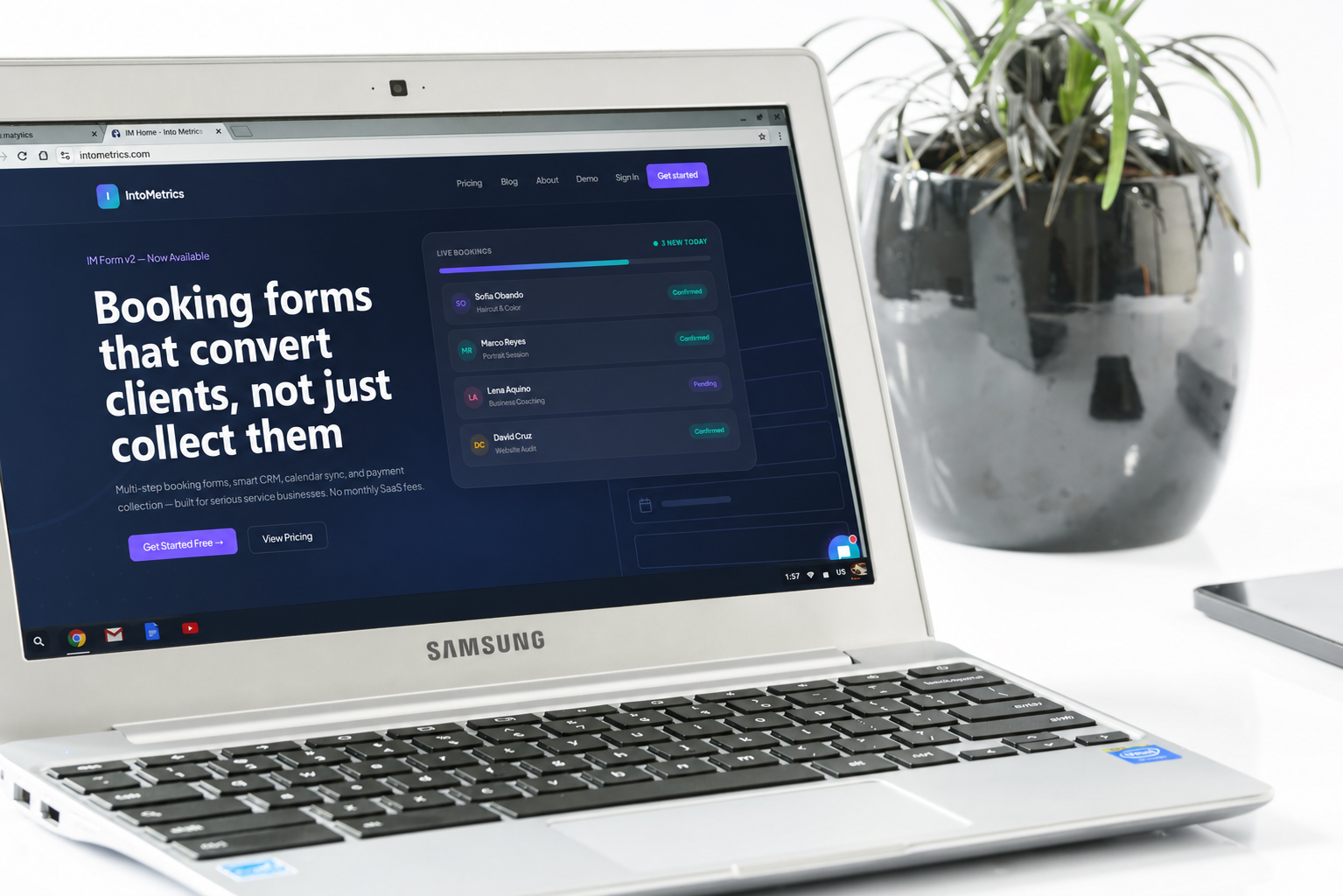
Google Forms Alternative: Why IM Form Is Better for Bookings, Leads & Payments
Google Forms has long been the default choice for businesses and individuals looking to collect information quickly and for free. As a core part of Google Workspace, it feels familiar, accessible, and straightforward. But as the demands of modern business grow, many organizations are discovering that googleforms simply cannot keep pace with the complexities of online bookings, lead capture, payment collection, and automated follow-ups. If you have ever found yourself wrestling with workarounds just to make a google forms survey do what your business actually needs, you are not alone.
This article compares Google Forms with IM Form, a purpose-built alternative designed specifically for businesses that need more than a basic data collection tool. Whether you are managing appointments, generating leads, processing payments, or nurturing customer relationships, understanding the real difference between these platforms can save you time, money, and frustration.

What Else Can I Use Instead of Google Forms?
The Growing Limitations of Google Forms Online
Google Forms online is an excellent tool for simple tasks: collecting RSVPs, running a quick google survey among colleagues, or gathering basic contact information. The google form maker is intuitive and free, which makes it appealing for casual use. However, the moment a business needs to connect form submissions to real workflows — sending confirmation emails, triggering calendar invites, collecting deposits, or routing leads — the platform quickly reveals its ceiling.
Unlike dedicated form builders, google docs forms do not natively support payment gateways, conditional booking logic, or CRM integration. Every additional capability requires a third-party plugin or a complicated Zapier workflow, adding cost, maintenance overhead, and potential points of failure. For small businesses, freelancers, service providers, and growing enterprises, this patchwork approach creates more problems than it solves.
What Businesses Are Looking for in a Google Forms Alternative
When businesses search for a google forms alternative, they are typically looking for a solution that does more than collect data. The most common needs include:
- Integrated appointment booking and scheduling without a separate calendar tool
- Lead capture forms that connect directly to a CRM or email marketing platform
- Built-in payment processing so customers can pay at the point of booking
- Automated notifications, reminders, and follow-up sequences
- A professional branded experience that reflects their business identity
- Analytics and conversion tracking tied directly to form performance
IM Form was built to address precisely these needs. Rather than treating a form as a passive data collection endpoint, IM Form treats it as an active conversion and customer management engine.
What Is the Platform Like Google Forms?
Introducing IM Form: A Business-First Form Builder
IM Form is a modern, all-in-one form and business automation platform designed for teams and entrepreneurs who need their forms to do real work. Like Google Forms, IM Form allows you to build and share online forms easily. Unlike Google Forms, it integrates seamlessly with booking systems, payment processors, email automation, and client management tools, all within a single platform.
Think of IM Form as what you would get if a google form maker were rebuilt from the ground up with the needs of a service business in mind. Every feature exists to help you convert visitors into booked clients, capture qualified leads, and manage customer relationships without juggling multiple disconnected tools.
Google Forms vs IM Form: A Side-by-Side Comparison
To understand why IM Form represents a meaningful upgrade, it helps to compare the two platforms across the features that matter most to businesses:
| Feature | Google Forms | IM Form |
|---|---|---|
| Online Booking | Not supported natively | Built-in booking engine |
| Payment Collection | Requires third-party add-on | Integrated payment processing |
| Lead Management | Spreadsheet export only | Built-in CRM and lead tracking |
| Email Automation | Not available | Automated follow-up sequences |
| Appointment Scheduling | Manual workaround required | Native calendar integration |
| Branding & Customization | Limited color and logo options | Full brand customization |
| Conditional Logic | Basic conditional branching | Advanced logic and routing |
| Analytics & Reporting | Basic response summary | Conversion and funnel analytics |
| Pricing | Free (Google account required) | Tiered plans for business needs |
Why IM Form Outperforms Google Forms for Online Bookings
A True Booking Engine, Not a Workaround
When a prospective client wants to book a service, time is critical. A google forms survey can collect their name, email, and preferred time slot — but it cannot check your availability in real time, prevent double bookings, or send an automatic calendar confirmation. Business owners who rely on google docs forms for appointment collection often spend significant time manually reviewing submissions, cross-checking calendars, and sending confirmation emails by hand.
IM Form eliminates this friction entirely. Its built-in booking engine connects directly to your availability calendar, displays open time slots dynamically, and confirms appointments automatically the moment a client submits the form. No manual review, no back-and-forth emails, and no risk of double booking.
Appointment Scheduling That Works for Service Businesses
For clinics, consultants, fitness professionals, beauty services, barber shops and any business that sells time, the ability to let clients self-schedule is a competitive advantage. IM Form supports buffer times between appointments, multiple staff member calendars, service-specific duration settings, and recurring appointment logic — all features that a google forms online tool was never designed to handle.
Clients who use IM Form for their scheduling report significant reductions in no-shows, thanks to automated SMS and email reminders sent at configurable intervals before each appointment.
Lead Generation and Management Beyond What Google Forms Offers
Capturing Leads with the Google Form Maker Experience — and Going Further
There is a reason the google form maker is popular for lead capture: it is simple, shareable, and produces instant results in a spreadsheet. But capturing a lead is only the beginning of the sales process. What happens after someone submits a contact form determines whether that interest converts into revenue.
IM Form integrates lead capture directly with a built-in CRM, which means every submission automatically creates or updates a contact record, logs the source of the inquiry, scores the lead based on your criteria, and triggers the appropriate follow-up sequence. Sales teams no longer need to manually transfer data from a google forms survey into their CRM — the process is automatic and immediate.
Automated Lead Nurturing
One of the most significant differences between googleforms and IM Form is what happens the moment someone hits the submit button. With Google Forms, a submission lands in a spreadsheet. With IM Form, a submission can trigger a personalized email sequence, assign the lead to a team member, schedule a follow-up task, send a welcome SMS, and add the contact to a targeted campaign — all without any manual action.
This level of automation is typically reserved for enterprise-grade marketing platforms with complex setups. IM Form makes it accessible to businesses of every size through an intuitive workflow builder that requires no coding knowledge.
Collecting Payments Through Your Forms
The Payment Gap in Google Forms Online
Google forms online does not support native payment collection. If you need to charge for a service at the point of booking or require a deposit to confirm an appointment, you must direct customers through a separate checkout process. This interruption in the user experience significantly increases abandonment rates and creates confusion about whether a booking is confirmed.
Businesses that use google docs forms for service bookings often send a PayPal link or invoice after the fact, turning what should be a seamless transaction into a multi-step process that frustrates clients and increases the likelihood they will simply not follow through.
Integrated Payments with IM Form
IM Form includes built-in payment fields that connect to major payment processors, enabling businesses to collect full payment, deposits, or subscription fees directly within the form. A client can view available times, enter their details, and complete payment — all in a single, branded experience.
This is particularly powerful for:
- Health and wellness professionals collecting session fees upfront
- Event organizers selling tickets and registrations simultaneously
- Consultants requiring deposits before discovery calls
- Service businesses automating repeat billing for recurring clients
The result is a higher conversion rate, reduced no-shows, and a significantly more professional experience for the end customer.
Customization, Branding, and User Experience
Making Your Forms Reflect Your Brand
A google forms survey carries the visual identity of Google, not your business. While the google form maker allows you to add a header image and choose a color theme, the overall look is unmistakably tied to the Google ecosystem. For businesses that have invested in building a brand, this presents a credibility challenge — particularly when first impressions matter.
IM Form provides comprehensive branding tools that allow you to customize every element of the form experience: your logo, color palette, typography, background imagery, button styles, and even the confirmation page. When a prospective client interacts with an IM Form, they experience your brand from start to finish, not a white-label Google product.
Conversion-Optimized Form Design
IM Form is built with conversion rate optimization in mind. Its forms are mobile-responsive by default, load quickly, and guide users through multi-step flows that feel intuitive rather than overwhelming. Compared to a standard google forms survey that presents all questions on a single scrolling page, IM Form’s multi-step interface has been shown to increase completion rates by reducing cognitive load at each stage.
Analytics, Reporting, and Business Intelligence
Google Forms provides a basic summary of responses and allows you to export data to Google Sheets. For simple use cases, this is sufficient. For businesses making decisions based on form data, it is not enough. Knowing how many people submitted a google forms online survey tells you very little about why others dropped off, which questions caused hesitation, or which traffic sources produced the highest-quality leads.
IM Form’s analytics dashboard provides granular insight into form performance, including:
- Step-by-step drop-off rates showing exactly where users abandon the process
- Conversion tracking tied to specific traffic sources and campaigns
- Revenue attribution connecting completed bookings to marketing channels
- Lead quality scores based on responses and engagement behavior
- Time-to-conversion data showing how long prospects take from form view to submission
These insights allow businesses to continuously optimize their forms and funnels, turning data into actionable improvements that a google forms survey simply cannot provide.
Who Should Switch from Google Forms to IM Form?
Google Forms remains an excellent tool for internal surveys, academic research, event RSVPs, and casual data collection where the goal is simply to gather responses. If your use case fits within those boundaries, the google form maker serves its purpose well.
IM Form is the right choice for:
- Service businesses that need to book appointments and collect payment simultaneously
- Sales teams that require automated lead routing and CRM integration
- Marketing professionals who need conversion funnels built around form submissions
- Healthcare, legal, and financial service providers who require professional client intake experiences
- Coaches, consultants, and freelancers managing their entire client acquisition process
- E-commerce businesses using forms for product configuration, quotes, or custom order intake
In short, if your forms are a critical part of how your business acquires, converts, or retains customers, IM Form delivers capabilities that googleforms was not designed to provide.
Conclusion
Google Forms is a solid starting point, but it is precisely that: a starting point. As businesses grow and their needs become more sophisticated, the limitations of google docs forms, googleforms, and google forms online become increasingly apparent. The absence of native booking logic, integrated payments, lead management, and advanced automation means that businesses relying solely on the google form maker are leaving revenue on the table and adding unnecessary manual work to their processes.
IM Form offers a compelling, business-ready alternative that preserves the simplicity and accessibility of a great form-building experience while adding the depth of a full conversion and customer management platform. For businesses serious about turning their online forms into growth engines, the comparison is clear: IM Form goes far beyond what any google forms survey can achieve.
If you are ready to move beyond the limitations of Google Forms and experience what a purpose-built business form platform can do, exploring IM Form is the logical next step.
References
Google. (2024). Google Forms — Free Online Form Builder. Retrieved from https://www.google.com/forms/about/
HubSpot Research. (2023). The State of Marketing Report. Retrieved from https://www.hubspot.com/state-of-marketing
Baymard Institute. (2023). E-Commerce Checkout Usability Research. Retrieved from https://baymard.com/research/checkout-usability
Unbounce. (2023). The Conversion Benchmark Report. Retrieved from https://unbounce.com/conversion-benchmark-report/